Free to Download

The EdgeBots
Bot Library.

Ready-to-run MT5 expert advisors, free to download. Drop the .ex5 file into your MetaTrader 5 Experts folder, attach it to a chart, and go.

No signup required
MT5 compatible
Free forever

Download & run today.

Each bot is pre-compiled and ready for MT5. No coding required.
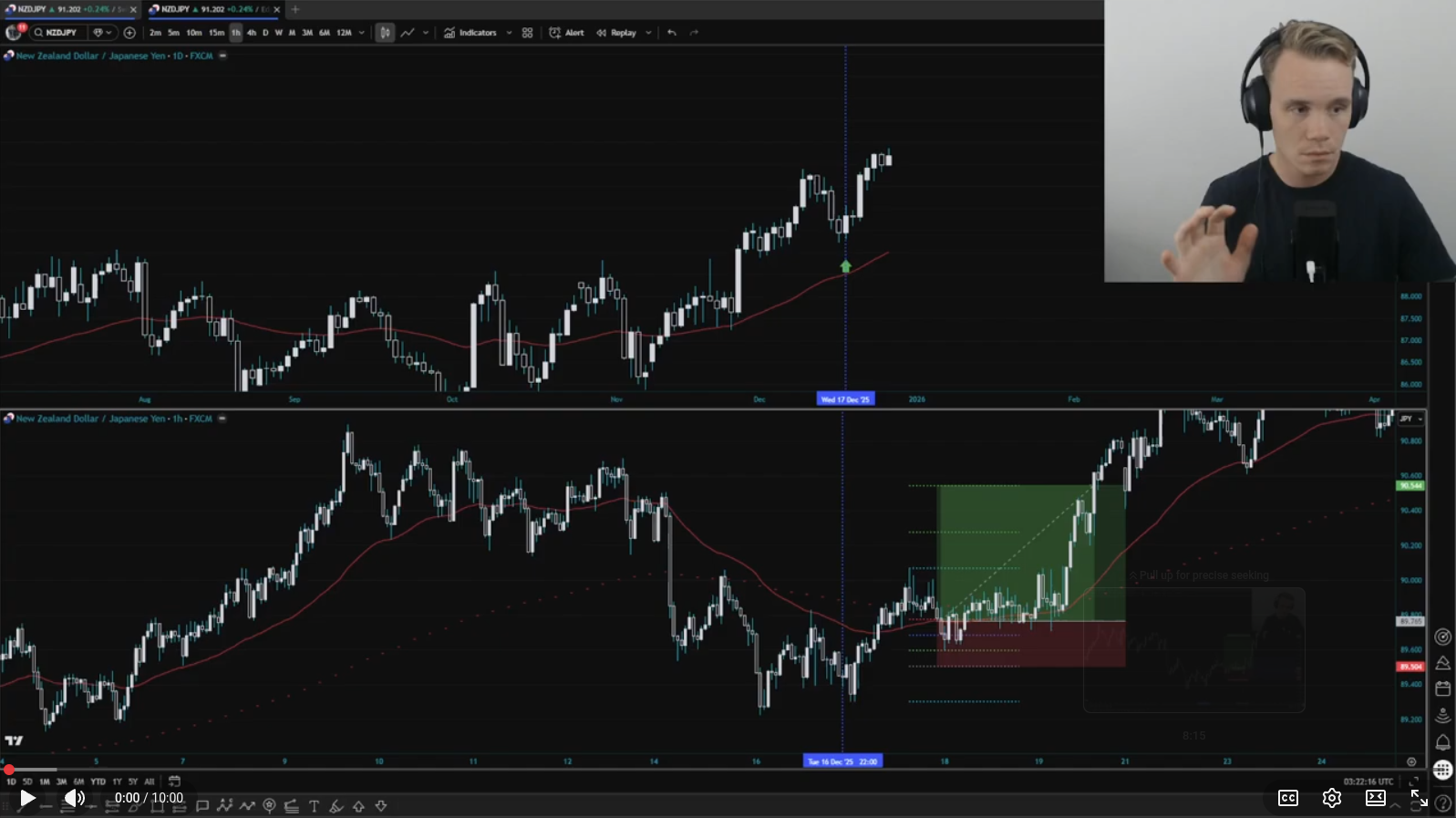
EMA Breakout Bot
Reversal
EMA Breakout
Live

A three-part reversal system. A candlestick formation signals directional intent, followed by a break and retest of a lower timeframe 50 EMA, and confirmed by a breakout on an even lower timeframe. Each leg must align before an entry is triggered.

Forex D1 / H1 / M5 Reversal

Download .ex5
Initial Balance Bot
Session Structure
Initial Balance
In Progress

Uses the first-hour session range as the day's primary reference. Trades confirmed breakouts beyond the IB high or low for trend days, and fades rejected extremes on rotational days. Built for index futures and forex majors.

Forex / Indices M5 / M15 Session-Based Breakout + Fade

Coming Soon

How to install a bot.

Three steps from download to running live on your chart.

1
Download the .ex5 file
Click the download button above. Save the .ex5 file somewhere you can find it.
2
Copy it into MT5
In MetaTrader 5, go to File → Open Data Folder, then navigate to MQL5 → Experts and paste the .ex5 file there. Refresh the Navigator panel — the bot will appear under Expert Advisors.
3
Attach to a chart & configure
Drag the bot onto your chart or double-click it. Set your preferred inputs — lot size, risk parameters, and any strategy-specific settings — then click OK. Make sure AutoTrading is enabled in the toolbar.
Risk Disclaimer

These bots are provided free for educational and personal use. Past performance in backtesting or demo accounts is not indicative of future results. Only trade with capital you can afford to lose. EdgeBots accepts no liability for trading losses.